

It is 9:40 on a Monday. You have a release review at ten, and you need one answer: is the payment integration ready?
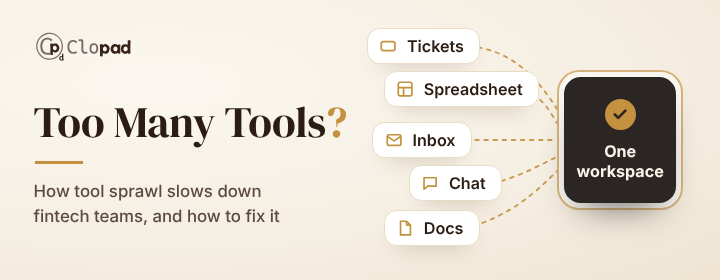
The tickets are in one tool. The test results are in a spreadsheet. The sign-off from risk is somewhere in your inbox, and the last decision about scope happened in a chat thread you were not part of. By the time you have pieced it together, the meeting has started.
Nobody chose to work like this. Each tool arrived for a good reason, one team at a time. But together they create a problem that most fintech teams feel long before they name it: tool sprawl. This post looks at what it is, what it really costs a regulated team, and how to fix it without a painful migration.
What tool sprawl looks like in a fintech team
Tool sprawl is what happens when work is spread across more applications than a team can keep connected. Each tool solves one problem well. The trouble starts in the gaps between them.
In a fintech business the stack usually grows like this:
- Engineering runs a ticketing tool for bugs and releases.
- Product plans roadmaps in a separate board or a shared spreadsheet.
- Compliance and risk track reviews and sign-offs in email and documents.
- Operations handle client requests in a shared inbox.
- Everyone makes decisions in chat.
None of these choices is wrong on its own. But a single piece of work, say a new payment partner going live, now touches five places. Nobody has the full picture, and the person who needs it most, usually the project manager, spends the week stitching it together by hand.
What tool sprawl really costs
The licence fees are the visible part. The bigger costs are harder to spot because they hide inside ordinary working days.
Time lost to switching and searching
Every jump from one app to another breaks concentration. Context switching sounds harmless, but a project manager who checks four tools to answer one question does it dozens of times a day. Status reports take an afternoon because the status lives in five places.
Context that disappears between tools
A requirement agreed in chat does not follow the ticket into engineering. A risk comment in a document never reaches the person building the feature. Work moves forward, but the reasons behind it get left behind, and someone has to ask again.
Risk you cannot see
This is the cost that matters most in a regulated business. When approvals sit in inboxes and decisions sit in chat, nobody can show the full history of a change without digging. Sensitive client information ends up copied into tools that were never meant to hold it, and access to each tool is managed separately, so offboarding a contractor means remembering every place they had a login.
Money spent on overlap
Many stacks pay for three tools that each do part of the same job. Teams pay for seats nobody uses and for add-ons that only exist to connect tools together.
Six signs your team has outgrown its tool stack
Read these quickly and count how many sound familiar.
- You need to open three or more tools to answer “where are we on this?”
- The same task is tracked in two places, and the two do not agree.
- Approvals happen in email, so you cannot see what is still waiting.
- New joiners spend their first week learning where things live rather than doing the work.
- You share work with partners or clients by exporting it, because giving them access feels risky.
- Your weekly status meeting exists mainly to collect updates that should already be visible.
If you counted three or more, the problem is not your people or your process. It is the number of places your work has to live.
How to consolidate without a painful migration
Tool consolidation does not have to mean a six-month project. The teams that do it well work in small, deliberate steps.
- Map where work actually lives. List every tool your team touches in a normal week and what each one holds. You will usually find two or three doing the same job.
- Follow one piece of work end to end. Pick a recent release or client request and trace every tool it passed through. The handoffs where context got lost are your priorities.
- Decide what must stay in one place. For most fintech teams that is projects, tasks, tickets and approvals, because those are where decisions and accountability live.
- Move one live project first. Do not migrate history on day one. Run a single real project in the new workspace and let the team feel the difference.
- Retire tools on purpose. Once the pilot works, set a date to stop using the tools it replaces. Tools that are “still there just in case” quietly bring the sprawl back.
- Set access rules once. Decide who sees what by role, including external partners, rather than managing permissions separately in every app.
Where Clopad fits
Clopad is fintech project management software: one project and ticket management platform built for fintech teams. It was designed around the idea that the work, the requests and the decisions should sit in one workspace instead of five. Here is how it maps to the costs above.
One place for the plan and the work. Projects, tasks and a built-in ticket management system live together, so a client request or a bug stays connected to the project it belongs to. Files and documents can be linked directly to the projects and tasks they support, which means fewer “where is the latest version?” messages.
Approvals that stay with the work. Approval workflows show who needs to act and what is still pending, so sign-offs stop disappearing into inboxes.
Status you can see without asking. The dashboard brings progress, workload and items needing attention together across projects, and the calendar view shows deadlines and planned work in one place.
Processes that run the same way every time. Workflow management lets you set up recurring processes with defined stages and clear responsibilities.
Access controlled in one place. Role-based access sets permissions at enterprise, workspace and project level. If you work across several entities or with outside partners, multi-enterprise management keeps each one in its own workspace under a single login.
A tool people will actually use. Clopad needs no complicated setup, so a team can start with one project rather than a long rollout. You can see the full list on the features page.
Fewer tools, clearer work
Tool sprawl rarely gets fixed by adding one more integration. It gets fixed by giving the work one home, so the plan, the tickets, the approvals and the people who need to see them are in the same place.
If your Monday morning looks like the one at the top of this post, start small. Take one live project, run it in Clopad and see how much of the chasing disappears. Start now, and if you would like a hand setting it up, book a training session with our team through Calendly.